
January 22, 2024 NHTSA CAMPAIGN NUMBER: 24V035000
Rearview Image May Not Display
A rearview image that does not display while in reverse decreases the driver’s visibility and increases the risk of a crash.
NHTSA Campaign Number: 24V035
Manufacturer Tesla , Inc.
Components BACK OVER PREVENTION
Potential Number of Units Affected 199,575
Summary
Tesla, Inc. (Tesla) is recalling certain 2023 Model S, X, and Y vehicles equipped with full self-driving computer 4.0 and running a software release version 2023.44.30 through 2023.44.30.6 or 2023.44.100. Software instability may prevent the rearview camera image from displaying.
Remedy
Tesla has released an over-the-air (OTA) software update, free of charge. Owner notification letters are expected to be mailed March 22, 2024. Owners may contact Tesla customer service at 1-877-798-3752. Tesla’s number for this recall is SB-24-00-002.
Notes
Owners may also contact the National Highway Traffic Safety Administration Vehicle Safety Hotline at 1-888-327-4236 (TTY 1-800-424-9153), or go to www.nhtsa.gov.
Check if your Tesla has a Recall
SB-24-00-002
January 26, 2024
Update Vehicle Software to Enable Rearview Camera Display
Condition
On certain vehicles equipped with Full Self-Driving (FSD) HW4 car computer and running a software release version from 2023.44.30 through 2023.44.30.6, or 2023.44.100, the rearview camera image may not display on the touchscreen in compliance with FMVSS No. 111, S5.5.3.
Correction
Inspect the vehicle to determine if it’s running a software release version from 2023.44.30 through 2023.44.30.6, or 2023.44.100, and if needed, update the vehicle software to version 2023.44.30.7 or later.
Procedure
On the vehicle touchscreen, touch Controls (vehicle icon) > Software, and then scroll down to display the vehicle software version.
- If the vehicle is operating with a software version earlier than 2023.44.30.7, or has software version 2023.44.100, update the software to version 44.30.7 or later (refer to Service Manual procedure 00020003; Model S, Model X, Model Y). Use correction code S022400002.
- If the vehicle is operating with software version 44.30.7 or later, no further action is necessary. Use correction code S012400002.
Remedy Instructions and TSB – SB-24-00-002 January 26, 2024
RCRIT-24V035-0676.pdf 204.045KB
Chronology :
– On December 26, 2023, Tesla began receiving reports of camera feeds not displaying on certain affected vehicles, including the rearview camera feed.
– Beginning on December 27, 2023, to January 5, 2024, Tesla assessed the reports and condition. As part of this activity, Tesla investigated telemetry from certain affected vehicles, the totality of which indicated a potential correlation between i2c transaction instability and an inability of the rearview camera to initialize and display imagery. The investigation identified a potential root cause as a prior revision to the i2c driver to correct noncritical read corruptions, which began deploying in late December 2023 as part of software release 2023.44.30.
– On December 28, 2023, as part of the ongoing investigation, Tesla began deploying an over-the-air software update to a small population of affected vehicles to revert the revision described above. This update, as further described in the remedy below, began deploying over-the-air to all affected vehicles on January 3, 2024.
– On January 8, 2024, Tesla completed its review of manufacturing records, confirming the risk assessment and affected population. On the same day, a containment hold was placed on new, undelivered vehicles to remedy them prior to delivery to customers.
– On January 12, 2024, a voluntary recall determination was made.
– As of January 22, 2024, Tesla has identified 81 warranty claims that may be related to the condition described above. Tesla is not aware of any crashes, injuries or deaths that may be related to this condition.
3 Affected Products
Vehicles
3 Associated Documents
Recall Acknowledgement
RCAK-24V035-9030.pdf 645.425KB
Defect Notice 573 Report
RCLRPT-24V035-6803.PDF 216.118KB
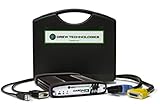
- ALL OF THE J2534 PROTOCOLS - This single unit has all of the protocols you need for your OEM J2534 reprogramming and diagnostics including the latest in DoIP and CanFD
- J2534 TECHNICAL SUPPORT - FREE for the life of the tool. Staffed by technicians who understand vehicle repair and J2534 Pass‑thru
- TOOLBOX WITH OEM APPLICATION DESCRIPTIONS - educational video tutorials and real-time news – Giving you the confidence and up-to-date knowledge to get the job done
- J2534 v05.00 API - The newest version of J2534 to give you the latest in pass-thru technology
- FUTURE PROOF WITH 4 CAN CHANNELS - Going beyond the 3 required by select Chrysler/FCA models, CarDAQ-Plus 3 also provides a 4th to meet the needs of future OEM applications

- CEL Doctor: The ANCEL AD310 is one of the best-selling OBD II scanners on the market and is recommended by Scotty Kilmer, a YouTuber and auto mechanic. It can easily determine the cause of the check engine light coming on. After repairing the vehicle's problems, it can quickly read and clear diagnostic trouble codes of emission system, read live data & hard memory data, view freeze frame, I/M monitor readiness and collect vehicle information.
- Sturdy and Compact: Equipped with a 2.5 foot cable made of very thick, flexible insulation. It is important to have a sturdy scanner as it can easily fall to the ground when working in a car. The AD310 OBD2 scanner is a well-constructed mechanic tool with a sleek design. It weighs 12 ounces and measures 8.9 x 6.9 x 1.4 inches. Thanks to its compact design and light weight, transporting the device is not a problem. The buttons are clearly labelled and the screen is large and displays results clearly.
- Accurate Fast and Easy to Use: The AD310 scanner can help you or your mechanic understand if your car is in good condition, provides exceptionally accurate and fast results, reads and clears engine trouble emission codes in seconds after you fixed the problem. This device will let you know immediately and fix the problem right away without any car knowledge. No need for batteries or a charger, get power directly from the OBDII Data Link Connector in your vehicle.
- OBDII Protocols and Car Compatibility: Many cheap scan tools do not really support all OBD2 protocols. AD310 scanner as it can support all OBDII protocols such as KWP2000, J1850 VPW, ISO9141, J1850 PWM and CAN. This device also has extensive vehicle compatibility with 1996 US-based, 2000 EU-based and Asian cars, light trucks, SUVs, as well as newer OBD2 and CAN vehicles both domestic and foreign. Pls confirm with our customer service whether it is compatible with your vehicle before purchasing.
- Home Necessity and Worthy to Own: This is an excellent code reader to travel or home with as it weighs less and it is compact in design. You can easily slide it in your backpack as you head to the garage, or put it on the dashboard, this will be a great fit for you. The AD310 is not only portable, but also accurate and fast in performance. Moreover, it covers various car brands and is suitable for people who just need a code reader to check their car.

- [Easy to Use—Work Out of the Box] + [FOXWELL 2026 New Version] FOXWELL NT604 Elite scan tool is the 2026 new version from FOXWELL, designed for car owners who want to figure out the cause of issues before fixing car problems by scanning common systems like ABS, SRS, engine, and transmission. The NT604 Elite obd2 scanner diagnostic tool comes with the latest software—no need to waste time downloading software first. Plug the scanner into the OBDII port with OBDII cable to start the diagnosis.
- [Affordable] + [Reliable Car Health Monitor] Will you be confused what happens when the warning light of ABS/SRS/transmission/check engine flashes? Instead of taking your cars to dealership, this FOXWELL scanner will help you do a thorough scanning and detection for your cars and pinpoint the root cause. Note:The device is a diagnostic tool, not a repair tool. To turn off a warning light, you must first physically repair the issue causing it. Only then can the scanner be used to clear the corresponding fault code.
- [5 in 1 Car Diagnostic Scanner] Compared with obd scanners (50-100), NT604 Elite code scanner not only includes their OBDII diagnosis but also serves as ABS/SRS scanner, transmission and check engine code reader. When it’s an odb2 scanner, you can use it to check if your car is ready for annual test through I/M readiness menu. In addition, live data stream, built-in DTC library, data play back and print, all these features are a big plus for it. Note: doesn't support maintenance functions like reset or relearn. For the SRS system, NT604 Elite can read and clear common fault codes not caused by a crash, but crash/collision data cannot be cleared.
- [Fantastic AUTOVIN] + [No extra software fee] Through the AUTOVIN menu, this NT604 Elite car scanner allows you to get your V-IN and vehicle info rapidly, no need to take time to find your V-IN and input one by one. What's more, the NT604 Elite ABS SRS scanner supports 60+ car brands from worldwide (America/Asia/Europe). You don’t need to pay extra software fee. AUTOVIN may not work on some older vehicles or certain vehicle brands. If AUTOVIN fails, please input the vin code manually or go to the Diagnostic Menu to select your vehicle model.
- [Solid protective case KO plastic carrying bag] + [Lifetime update] Almost all same price-level car scanner diagnostic tool only offers plastic bag to hold the scanner.However, NT604 Elite automotive scanner is equipped with solid protective case, preventing your obd2 scanner from damage. Then you don’t need to pay extra money to buy a solid toolbox.

- 【Diagnose Check Engine Light in Seconds – No Mechanic Needed】The FOXWELL NT301 OBD2 scanner instantly reads & clears engine fault codes (DTCs) with one click. Simply plug into the 16-pin DLC port, turn ignition on, and get accurate results within seconds—No prior car knowledge required. Save hundreds on dealership fees by knowing exactly what’s wrong before you visit a shop. The #1 choice car scanner for DIYers and car owners who want to take control of their vehicle’s health
- 【Clear & Reset CEL with Confidence】Unlike cheap code readers that just erase codes temporarily, NT301 works like all professional vehicle code readers: It clears the check engine light only after you’ve fixed the underlying issue. If the problem isn’t fully repaired, the fault code will reappear. So you’ll never get a false pass. Use the foxwell scanner to verify your repair work and drive with peace of mind
- 【Sm-og Check Helper – Know Your Pass/Fail Status Before the Test】With dedicated one-click I/M readiness hotkeys and a simple Red-Yellow-Green LED indicator, you’ll instantly know if your vehicle is ready for annual testing. Built-in speaker provides clear audio feedback. No guesswork—just confidence before you head to the test center. One less thing to worry about when inspection day comes
- 【Advanced OBDII Modes – O2 Sensor & EVAP Leak Testing】NT301 go beyond basic code reading with enhanced OBD2 modes. Run an EVAP system leak check to assess fuel tank condition, and use the O2 sensor test to optimize air-fuel ratio, boosting fuel economy, cutting emissions, and saving you money at the pump. The code reader for cars and trucks is like having a mini em-issions lab in your glove box
- 【Live Data Graphing – Spot Engine Issues in Real Time】View and log live sensor data in easy-to-read graphs with this OBD2 scanner diagnostic tool. Monitor oxygen sensors, fuel trims, coolant temperature, RPM, and more to spot suspicious values instantly. This obd scanner gives you professional-grade insight without the pro price tag—a feature you won’t find on basic $20 car code readers


- [J2534 Pass-Thru Programmer] - TOPDON RLink J2534 is engineered for professional technicians, delivering OEM diagnostic and reprogramming capabilities. It supports all J2534 protocols, CAN-FD, DoIP, D-PDU. Compatible with 17 vehicle brands—such as Chrysler, Ford, GM, KIA, Hyundai, Nissan, Toyota, Honda, Subaru, Mitsubishi, MAZDA, Land Rover/Jaguar, Volvo, Volkswagen/Audi, Mercedes-Benz, and BMW. RLink J2534 can help reduce the cost of purchasing equipment from different brands.
- [All-in-One OEM Reprogramming and Diagnostics] - When seamlessly integrated with OEM diagnostic software, this dongle enables you to perform a wide range of functions, including ECU programming and coding, DTC reading and clearing, active tests, component matching, adaptations, rewriting, guided troubleshooting, and more. This all-in-one tool eliminates the need for multiple OEM devices, significantly boosting work efficiency.
- [Tested, Trusted, and Proven for Accuracy] - TOPDON RLink J2534 is renowned for its reliability, having successfully completed over 10,000 real-vehicle tests. The wealth of data and hands-on experience behind it ensures consistent performance and accurate results. You can trust this tool to deliver optimal performance.
- [One-Click Installation, Continuous Updates] - The exclusive TOPDON RLink platform streamlines installation with a one-click driver setup, allowing you to quickly access OEM software for diagnostic and reprogramming tasks. With lifetime free updates, your RLink J2534 stays current without any additional cost, ensuring reliable performance for the long term. *We don't provide extra OE software.
- [Works with Windows Compatibility and OEM Software Subscription] - The RLink J2534 supports three CAN channels - including CAN FD and CAN-CC, providing advantages in the process of rapid troubleshooting. Compatible with Windows 7, 8 and 10 (64-bit) and higher versions of the system. For full functionality, an active OEM software subscription is required for each supported vehicle brand. Please note that the dongle does not include OEM software, which must be purchased separately to access brand-specific diagnostic and reprogramming features.
SEOCONTENT-START
OMB Control No.: 2127-0004
Part 573 Safety Recall Report 24V-035
The information contained in this report was submitted pursuant to 49 CFR §573
Manufacturer Name : Submission Date :
Tesla, Inc. JAN 22, 2024 NHTSA Recall No. : 24V-035 Manufacturer Recall No. : SB-24-00-002 Manufacturer Information :
Manufacturer Name : Tesla, Inc.
Address : 1 Tesla Road
Austin TX 78725 Company phone : 6506815000
Population :
Number of potentially involved : 199,575 Estimated percentage with defect : 100 %
Vehicle Information :
Vehicle 1 : 2023-2023 Tesla Model S Vehicle Type :
Body Style :
Power Train : NR
Descriptive Information : The subject population includes certain MY 2023 Model S, Model X and Model Y vehicles equipped with full self-driving computer 4.0 and running a software release version from 2023.44.30 through 2023.44.30.6, or 2023.44.100.
Production Dates : JAN 07, 2023 – DEC 22, 2023
VIN Range 1 : Begin : NR End : NR Not sequential Vehicle 2 : 2023-2023 Tesla Model X Vehicle Type :
Body Style :
Power Train : NR
Descriptive Information : The subject population includes certain MY 2023 Model S, Model X and Model Y vehicles equipped with full self-driving computer 4.0 and running a software release version from 2023.44.30 through 2023.44.30.6, or 2023.44.100.
Production Dates : DEC 14, 2022 – DEC 22, 2023
VIN Range 1 : Begin : NR End : NR Not sequential Part 573 Safety Recall Report 24V-035 Page 2 Vehicle 3 : 2023-2023 Tesla Model Y Vehicle Type :
Body Style :
Power Train : NR
Descriptive Information : The subject population includes certain MY 2023 Model S, Model X and Model Y vehicles equipped with full self-driving computer 4.0 and running a software release version from 2023.44.30 through 2023.44.30.6, or 2023.44.100.
Production Dates : APR 24, 2023 – DEC 22, 2023
VIN Range 1 : Begin : NR End : NR Not sequential Description of Defect :
Description of the Defect : On certain affected vehicles equipped with full self-driving computer 4.0 and running a software release version from 2023.44.30 through 2023.44.30.6, or 2023.44.100, insufficient inter-integrated circuit protocol stability may prevent the rearview camera image from displaying in compliance with FMVSS No. 111, S5.5.3.
FMVSS 1 : NR FMVSS 2 : NR
Description of the Safety Risk : Unavailability of the rearview camera display upon starting a backing event may affect the driver’s rear visibility and increase the risk of a collision. The driver may continue to reverse the vehicle by performing a shoulder check and using their mirrors.
Description of the Cause : NR Identification of Any Warning
that can Occur : If the condition is present, the rearview camera display will appear blank when the vehicle is shifted to Reverse. Involved Components : Component Name 1 : Vehicle Software
Component Description : Software release versions 2023.44.30 through 2023.44.30.6, and 2023.44.100. Component Part Number : NR Supplier Identification : Component Manufacturer The information contained in this report was submitted pursuant to 49 CFR §573 Part 573 Safety Recall Report 24V-035 Page 3 Name : Tesla, Inc. Address : 1 Tesla Road
Austin Texas 78725 Country : United States Chronology :
– On December 26, 2023, Tesla began receiving reports of camera feeds not displaying on certain affected vehicles, including the rearview camera feed. – Beginning on December 27, 2023, to January 5, 2024, Tesla assessed the reports and condition. As part of this activity, Tesla investigated telemetry from certain affected vehicles, the totality of which indicated a potential correlation between i2c transaction instability and an inability of the rearview camera to initialize and display imagery. The investigation identified a potential root cause as a prior revision to the i2c driver to correct non- critical read corruptions, which began deploying in late December 2023 as part of software release 2023.44.30. – On December 28, 2023, as part of the ongoing investigation, Tesla began deploying an over-the-air software update to a small population of affected vehicles to revert the revision described above. This update, as further described in the remedy below, began deploying over-the-air to all affected vehicles on January 3, 2024. – On January 8, 2024, Tesla completed its review of manufacturing records, confirming the risk assessment and affected population. On the same day, a containment hold was placed on new, undelivered vehicles to remedy them prior to delivery to customers. – On January 12, 2024, a voluntary recall determination was made. – As of January 22, 2024, Tesla has identified 81 warranty claims that may be related to the condition described above. Tesla is not aware of any crashes, injuries or deaths that may be related to this condition. Description of Remedy :
Description of Remedy Program : At no cost to customers, affected vehicles received an over-the-air
software remedy, which began deploying on or shortly after December 28, 2023, with software release 2023.44.30.7. Software release 2023.44.30.7 or a later release incorporates sufficient inter-integrated circuit protocol stability to allow the rearview camera image to display in compliance with FMVSS No. 111, S5.5.3. Tesla does not plan to include a statement in the Part 577 owner notification about pre-notice reimbursement to owners because there is no paid repair relating to the underlying condition and owners received the remedy free of charge with an OTA software release.
How Remedy Component Differs On certain affected vehicles equipped with full self-driving computer 4.0,
software release version 2023.44.30 through 2023.44.30.6, and The information contained in this report was submitted pursuant to 49 CFR §573 Part 573 Safety Recall Report 24V-035
Page 4
The information contained in this report was submitted pursuant to 49 CFR §573
from Recalled Component : 2023.44.100, may have lacked sufficient inter-integrated circuit protocol stability to allow the rearview camera image to display in compliance with FMVSS No. 111, S5.5.3, whereas software release 2023.44.30.7 or a later release incorporates sufficient inter-integrated circuit protocol stability to allow the rearview camera image to display in compliance with FMVSS No. 111, S5.5.3. Identify How/When Recall Condition was Corrected in Production : Beginning on January 6, 2024, software release 2023.44.100.1 was introduced in production, which incorporates sufficient inter-integrated circuit protocol stability to allow the rearview camera image to display in compliance with FMVSS No. 111, S5.5.3. Recall Schedule :
Description of Recall Schedule : All Tesla stores and service centers will be notified about this recall on or
shortly after January 24, 2024. Owner notification letters will be mailed in accordance with 49 C.F.R. § 577.7.
Planned Dealer Notification Date : JAN 24, 2024 – JAN 24, 2024
Planned Owner Notification Date : MAR 22, 2024 – MAR 22, 2024
* NR – Not Reported
**************************************************************************************************************
SB-24-00-002 Page 1 of 1
For feedback on the accuracy of this document, email ServiceBulletinFeedback@tesla.com
Tesla, Inc.
Service Bulletin
Update Vehicle Software to Enable Rearview Camera Display
SB-24-00-002
January 26, 2024
Classification
Section/Group
Mobile Service
Configuration
Recall Bulletin
00 – Inspection & Service
Can Perform (where permitted)
HW4 Car Computer
Model Year
Model
Country/Region
Build Location
2023
Model S, Model X, Model Y
North America
All
The model(s) and model year(s) listed are a general approximation of the affected VIN list. Refer to the VIN/Bulletin Tracker or Customer/Vehicle profile to determine applicability of this bulletin for a particular vehicle.
Recall Bulletin: Recall Bulletins are mandatory service procedures that, unless they can be completed via a software update that a customer installs through the normal course of ownership, must be carried out by Tesla-certified Service Centers. Recall work performed by uncertified technicians could lead to unsafe conditions or voided warranty provisions.
Condition
On certain vehicles equipped with Full Self-Driving (FSD) HW4 car computer and running a software release version from 2023.44.30 through 2023.44.30.6, or 2023.44.100, the rearview camera image may not display on the touchscreen in compliance with FMVSS No. 111, S5.5.3.
Correction
Inspect the vehicle to determine if it’s running a software release version from 2023.44.30 through 2023.44.30.6, or 2023.44.100, and if needed, update the vehicle software to version 2023.44.30.7 or later.
Correction Description
Correction
Time
Inspect Vehicle Software Version; No Update Necessary
S012400002
0.06
Inspect And Update Vehicle Software to Enable Rearview Camera Display
S022400002
0.06
Procedure
On the vehicle touchscreen, touch Controls (vehicle icon) > Software, and then scroll down to display the vehicle software version.
• If the vehicle is operating with a software version earlier than 2023.44.30.7, or has software version 2023.44.100, update the software to version 2023.44.30.7 or later (refer to Service Manual procedure 00020003; Model S, Model X, Model Y). Use correction code S022400002.
• If the vehicle is operating with software version 2023.44.30.7 or later, no further action is necessary. Use correction code S012400002.
**************************************************************************************************************
**************************************************************************************************************
**************************************************************************************************************
SEOCONTENT-END
This product presentation was made with AAWP plugin.