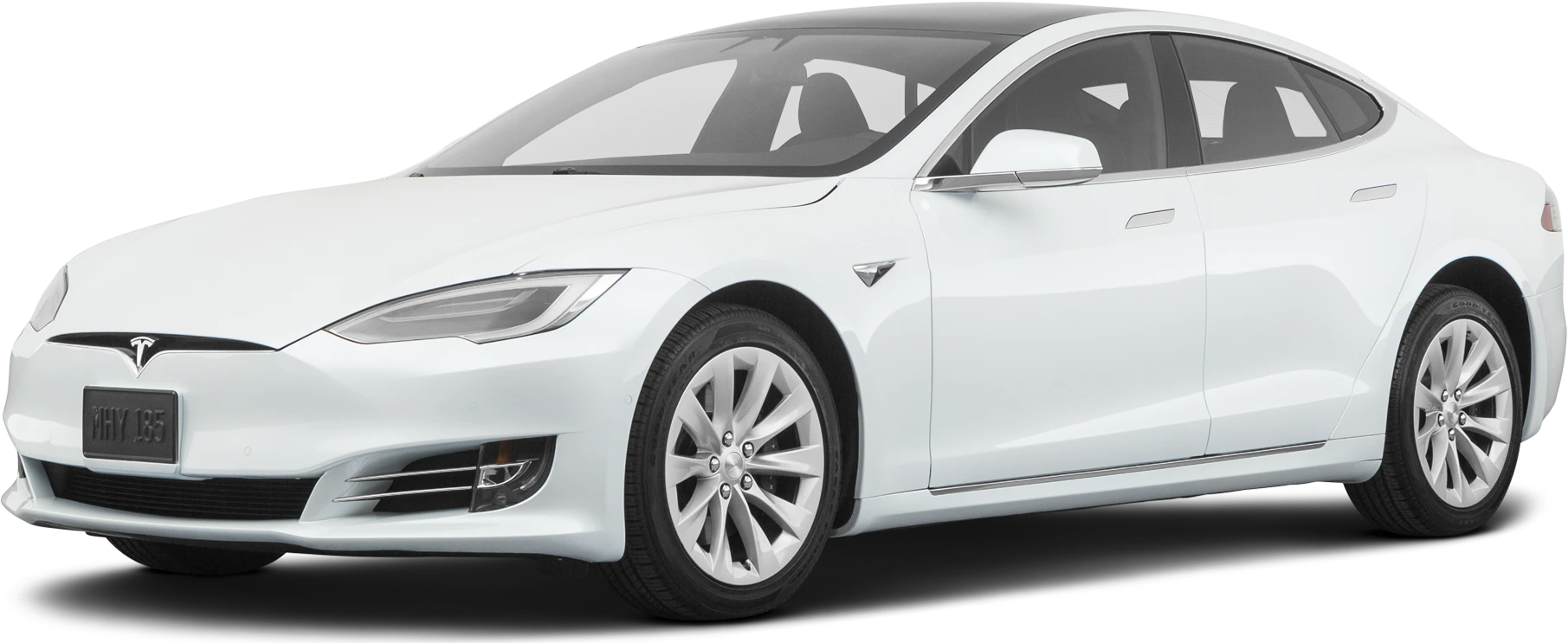
May 3, 2022 NHTSA CAMPAIGN NUMBER: 22V296000
Overheating May Cause Center Display Malfunction
A lagging or restarting CPU may prevent the center screen from displaying the rearview camera image, gear selection, windshield visibility control settings, and warning lights, increasing the risk of a crash.
NHTSA Campaign Number: 22V296
Manufacturer Tesla, Inc.
Components BACK OVER PREVENTION, EQUIPMENT
Potential Number of Units Affected 129,960
Summary
Tesla, Inc. (Tesla) is recalling certain 2021-2022 Model S, Model X, and 2022 Model 3 and Model Y vehicles operating certain firmware releases. The infotainment central processing unit (CPU) may overheat during the preparation or process of fast-charging, causing the CPU to lag or restart.
Remedy
Tesla will perform an over-the-air (OTA) software update that will improve CPU temperature management, free of charge. Owner notification letters were mailed July 1, 2022. Owners may contact Tesla customer service at 1-877-798-3752. Tesla’s number for this recall is SB-22-00-009.
Notes
Owners may also contact the National Highway Traffic Safety Administration Vehicle Safety Hotline at 1-888-327-4236 (TTY 1-800-424-9153), or go to www.nhtsa.gov.
Check if your Tesla has a Recall
SB-22-00-009
May 9, 2022
Update Vehicle Firmware To Improve Car Computer Thermal Management
Condition
On certain Model S, Model X, Model 3, and Model Y vehicles operating firmware versions before 2022.12.3.3 except
2022.11.101.1, the car computer’s Central Processing Unit (CPU) may operate at higher than expected temperatures.
This may result in the touchscreen lagging or appearing blank.
Correction
Inspect the firmware version installed in the vehicle, and if necessary, update to version 2022.11.101.1 or 2022.12.3.3
or later.
Procedure
On the vehicle touchscreen, touch Controls (vehicle icon) > Software, and then scroll down to display the vehicle
firmware version.
- If the vehicle is operating with a firmware version 2022.11.101.1 or 2022.12.3.3 or later, no further action is
necessary. Use correction code S012200009. - If the vehicle is operating with firmware version earlier than 2022.12.3.3 except 2022.11.101.1, update to
version 2022.11.101.1 or 2022.12.3.3 or later (refer to Service Manual procedure 00020003; Model 3,
Model Y, Model S, Model X). Use correction code S022200009.
May 4, 2022
Chronology of Defect Determination
- Beginning on December 23, 2021, during routine HTOE (High Temperature Operation Endurance) testing on the Model 3 and Model Y vehicle platform CPU, throttling was detected from thermal protections being engaged. An investigation commenced.
- On January 3, 2022, a CPU from a 2021 Model S vehicle was replaced in Service for an overheating condition that caused the center screen display to reboot when the vehicle was supercharging. The replaced CPU was shipped to Tesla Engineering for teardown and failure analysis.
- Through the remainder of January 2022, any other CPUs that were replaced in Service for the same overheating condition were also shipped to Tesla Engineering for teardown and failure analysis.
- Beginning in mid-January 2022, an investigation into thermal management was initiated using vehicle alerts to facilitate diagnostic of the condition in the field.
- From February through mid-March 2022, to understand the potential root cause, Tesla Engineering worked on a series of controlled test experiments. The design of the series was based on identified potential causes of the overheating condition. From the potential cause matrix, materials were ordered, and units were later assembled with different configurations and placed through HTOE testing to understand the effect of each potential cause on the overheating condition.
- By the end of March 2022, the test experiments were completed. Improvements to vehicle software were identified for development, and an evaluation was initiated to manage the condition via the vehicle thermal system. In addition, using thermal resistance modeling and CPU temperature signals remotely received from the vehicle fleet, a fleet analysis was then designed and developed to identify a potential rate frequency and potentially affected vehicle population.
- On April 10, 2022, the improvements to vehicle software and the evaluation to manage the condition via the vehicle thermal system were preliminarily completed. Based on results received from the fleet analysis, a preliminary rate frequency was also determined.
- On April 21st, 2022, Tesla completed its investigation and confirmed the suspected root cause, risk assessment, and affected vehicle population. The findings were reviewed and a recall determination was made on April 26, 2022.
- As of May 2, 2022, Tesla identified 59 warranty claims and 59 field reports (received between January 5, 2022, and May 2, 2022) that have been received for U.S. vehicles and that are related to or may be related to this condition. Tesla is not aware of any crashes, injuries, or deaths related to this condition.
6 Affected Products
Vehicles
8 Associated Documents
Defect Notice 573 Report
RCLRPT-22V296-9024.PDF 215.488KB
Recall Acknowledgement
RCAK-22V296-6974.pdf 645.379KB
May 3, 2022 Chronology
RMISC-22V296-1470.pdf 244.434KB
Remedy Instructions and TSB
RCRIT-22V296-0266.pdf 126.653KB
Owner Notification Letter(Part 577)
RCONL-22V296-0832.pdf 73.133KB
Recall Quarterly Report #1, 2022-3
RCLQRT-22V296-6566.PDF 211.143KB
Recall Quarterly Report #2, 2022-4
RCLQRT-22V296-7922.PDF 211.246KB
Recall Quarterly Report #3, 2023-1
RCLQRT-22V296-9628.PDF 211.335KB
Recalls Documents

- [Easy to Use—Work Out of the Box] + [FOXWELL 2026 New Version] FOXWELL NT604 Elite scan tool is the 2026 new version from FOXWELL, designed for car owners who want to figure out the cause of issues before fixing car problems by scanning common systems like ABS, SRS, engine, and transmission. The NT604 Elite obd2 scanner diagnostic tool comes with the latest software—no need to waste time downloading software first. Plug the scanner into the OBDII port with OBDII cable to start the diagnosis.
- [Affordable] + [Reliable Car Health Monitor] Will you be confused what happens when the warning light of ABS/SRS/transmission/check engine flashes? Instead of taking your cars to dealership, this FOXWELL scanner will help you do a thorough scanning and detection for your cars and pinpoint the root cause. Note:The device is a diagnostic tool, not a repair tool. To turn off a warning light, you must first physically repair the issue causing it. Only then can the scanner be used to clear the corresponding fault code.
- [5 in 1 Car Diagnostic Scanner] Compared with obd scanners (50-100), NT604 Elite code scanner not only includes their OBDII diagnosis but also serves as ABS/SRS scanner, transmission and check engine code reader. When it’s an odb2 scanner, you can use it to check if your car is ready for annual test through I/M readiness menu. In addition, live data stream, built-in DTC library, data play back and print, all these features are a big plus for it. Note: doesn't support maintenance functions like reset or relearn. For the SRS system, NT604 Elite can read and clear common fault codes not caused by a crash, but crash/collision data cannot be cleared.
- [Fantastic AUTOVIN] + [No extra software fee] Through the AUTOVIN menu, this NT604 Elite car scanner allows you to get your V-IN and vehicle info rapidly, no need to take time to find your V-IN and input one by one. What's more, the NT604 Elite ABS SRS scanner supports 60+ car brands from worldwide (America/Asia/Europe). You don’t need to pay extra software fee. AUTOVIN may not work on some older vehicles or certain vehicle brands. If AUTOVIN fails, please input the vin code manually or go to the Diagnostic Menu to select your vehicle model.
- [Solid protective case KO plastic carrying bag] + [Lifetime update] Almost all same price-level car scanner diagnostic tool only offers plastic bag to hold the scanner.However, NT604 Elite automotive scanner is equipped with solid protective case, preventing your obd2 scanner from damage. Then you don’t need to pay extra money to buy a solid toolbox.

- OBD2 SCANNER FOR ALL SYSTEMS – The INNOVA SD35 is a tablet-based OBD2 scanner designed for advanced diagnostics. Read and clear check engine light, ABS, SRS, and TPMS codes, plus test your car battery and alternator to prevent unexpected failures. Vehicle coverage may vary. Please use Innova’s Coverage Checker to verify compatibility.
- ALL-SYSTEM DIAGNOSTICS & LIVE DATA – Unlike basic code readers, this OBD2 scanner for all vehicles scans engine, transmission, ABS, SRS, and more. Get real-time live data, including RPM, fuel trims, temperature readings, and oxygen sensor performance.
- OBD2 TABLET WITH USER-FRIENDLY INTERFACE – This automotive scan tool features a high-resolution display, making vehicle diagnostics faster and easier.
- ADVANCED TPMS, OIL RESET & SERVICE FUNCTIONS – Perform TPMS sensor checks, oil light reset, and other service resets with ease This professional diagnostic tool provides comprehensive vehicle maintenance capabilities in one device.
- WIDE VEHICLE COVERAGE (1996 & NEWER CARS & TRUCKS) – This OBD2 scanner Bluetooth tablet is compatible with Toyota, Ford, Honda, Chevrolet, Nissan, Dodge, and more. However, feature coverage may vary. Please use Innova's Coverage Checker to verify coverage.

- 【Reset ABS/SRS/Transmission/Engine Lights】 More than an check engine code reader, OBDMATE OM901 obd2 scanner performs comprehensive diagnostics for the 4 most-used systems (ABS/SRS/Engine/Transmission). It quickly clears fault codes, turns off warning lights, read data stream and auto VIN.
- 【3.5" Handheld Scanner with 4 System Diagnose】 3.5" Super large TFT screen equipped displays an intuitive menu and clear readings of various sensors from ABS, SRS, ECM and TCM systems. It arrived with a silicone protective case and hard-shell carrying case, ensuring long-lived durability and drop resistance. The car diagnostic tool is plug-to-play designed, plug it and get diagnosis started without any batteries or updates required.
- 【One-Click I/M Readines&Full OBD2 Functions】 Press F1 to get an intuitive corloured form about whether various emissions-related systems on the vehicle are operating properly. Help you get smog-check ready quickly. OM901 car scanner supports all essential OBD2 functions you need: read & clear codes, view freeze frame, read I/M readiness, retrieve VIN, live data stream (with graphing display), O2 sensor test, onboard monitoring mode, and EVAP leak test.
- 【Battery Voltage Check&DLC Pin Test】 It allows you to monitor battery health by testing current battery voltage. Plus, this obd2 diagnostic tool features DLC 16-PIN test to check current voltage of every pin.
- 【Automotive Scanner Diagnostic Kit】 The package comes with 1 car scanner, 1 USB-type c cable, 1 hard storage bag and 1 user manual(en). Free to update without any hidden fees. 5 languanges available in setting including English, French, Italian, German and Espanish. Valuable and Portable, making it a great tool kit for car owners, DIY enthusiasts, and professional mechanics.
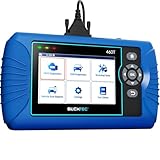
- [All System Diagnostics, Professional-Level Scanner] - BLCKTEC 460T is the ultimate OBD2 diagnostic tool for home mechanics and professionals. It supports all 10 OBD2 modes, reads and clears Engine/Transmission/ABS/SRS codes, performs All-System Diagnostics, offers workshop reset tools, and provides real-time live data. It helps you pinpoint issues, assess your car's condition, and prepare for SMOG checks with ease. NOTE: Function availability depends on your vehicle. Before you buy, be sure to use the Compatibility Checker on BLCKTEC website or contact our customer support to verify that the features you need are supported for your vehicle’s specific year, make, and model.
- [12+ Most Popular Reset Functions] - BLCKTEC 460T OBD2 scanner offers 12+ dealer-level service functions, including Oil Maintenance Reset, ABS Bleeding, EPB Reset, SAS(Steering Angle Sensor) Recalibration, DPF(Diesel Particulate Filter) Reset, Throttle Body Relearn, Battery Reset/Initialization, TPMS Relearn, Transmission Reset, Fluid Change Reset, Maintenance Reset and more, enabling you to perform workshop services like a pro. NOTE: Function availability depends on your vehicle. Be sure to use the Compatibility Checker on BLCKTEC website to verify that the features you need are supported for your vehicle.
- [Real-Time OBD2 and OEM Live Data, Freeze Frame Data] - BLCKTEC 460T helps diagnose vehicle issues when warning lights like Check Engine Light or ABS/SRS Light appear. It offers detailed DTC info, ECU Freeze Frame Data, and real-time OBD2 and advanced OEM live data, including Engine, Transmission, ABS, SRS, and more, making it easy to diagnose and resolve vehicle problems. You can view, graph, record, replay, and overlay up to four live data streams in a single graph for better analysis.
- [AutoVIN, AutoReLink, AutoScan, 3X Faster] - Equipped with AutoVIN technology, 460T automatically retrieves the VIN to save you time. Its AutoScan and AutoReLink features scan all of the vehicle's ECUs and detect any fault codes immediately after you plug the scanner into the vehicle's OBD2 port - no button presses required. Additionally, it regathers DTC and I/M readiness information every 30 seconds, simplifying monitor tests. 460T's advanced technology makes it 3X faster than other products.
- [Get RepairSolutions2, the #1 Auto Repair App for Free] - When paired with RepairSolutions2(RS2) App, 460T becomes even more powerful. RS2's Verified Fix Database built by master technicians, provides the parts needed for the repair. Additionally, RS2 gives you access to OEM warranty info, maintenance schedules, TSB, and dealership recall info, making car care easier than ever. RS2 is free with no subscription fees and it stores your car scan reports in the cloud, allowing you to access, share, or print them anytime and anywhere.

- ✔️【Professional SRS Reset for 1994-2003 BMW】 Designed specifically for classic BMW models (1994-2003). This B800 scanner reads & clears SRS airbag fault codes, turns off the warning light, and saves you a costly dealer visit. Confirmed compatible with: E36, E46 (EXCEPT 2001 330i), E34, E38, E39, Z3, and X5 (E53). NOT compatible with any BMW built before 1994 or after 2003.
- ✔️【Important: Two Different Connection Ports – Read Before Use】 To avoid “not working” issues, please note: For 1994–2000 BMWs (most E36, E34, Z3, early E39), the SRS diagnostic port is a round 20-pin connector under the hood. You MUST use the included 16-pin to 20-pin adapter cable. For 2000–2003 models (late E46, E39, X5), use the standard OBD-II port inside the cabin. Incorrect connection is the #1 reason for “incompatibility” reports.
- ✔️【Read & Clear Fault Codes in Minutes】 Quickly diagnose why your SRS light is on. The scanner accurately reads fault codes from airbag and seatbelt pretensioner systems. With one button press, clear the codes and reset the SRS warning light in seconds. No expensive dealer tools needed.
- ✔️【User-Friendly for DIYers – No Mechanic Required】 Easy operation with an intuitive button layout: ‘Enter’ to confirm, ‘Scroll’ to navigate. The clear LCD screen shows results instantly. Includes a step-by-step manual (revised for clarity) to guide you through the entire reset process.
- ✔️【Reliable Support with 1-Year Warranty】 We stand behind the quality of our B800 scanner. It comes with a 1-Year Hassle-Free Warranty. If you have any questions or need support, please contact us with your Order ID, and our dedicated team will assist you promptly.
SEOCONTENT-START
SB-22-00-009 Page 1 of 1 For feedback on the accuracy of this document, email ServiceBulletinFeedback@tesla.com Tesla, Inc. Service Bulletin Update Vehicle Firmware To Improve Car Computer Thermal Management SB-22-00-009 May 9, 2022 Classification Section/Group Mobile Service Configuration Recall Bulletin 00 – Inspection & Service Can Perform (where permitted) All Model Year Model Country/Region Build Location 2021 – 2022 Model S, Model X, Model 3, Model Y All All The model(s) and model year(s) listed are a general approximation of the affected VIN list. Refer to the VIN/Bulletin Tracker or Customer/Vehicle profile to determine applicability of this bulletin for a particular vehicle. Recall Bulletin: Recall Bulletins are mandatory service procedures that must be carried out by Tesla-certified Service Centers. Recall work performed by uncertified technicians could lead to unsafe conditions or voided warranty provisions. Condition On certain Model S, Model X, Model 3, and Model Y vehicles operating firmware versions before 2022.12.3.3 except 2022.11.101.1, the car computer’s Central Processing Unit (CPU) may operate at higher than expected temperatures. This may result in the touchscreen lagging or appearing blank. Correction Inspect the firmware version installed in the vehicle, and if necessary, update to version 2022.11.101.1 or 2022.12.3.3 or later. Correction Description Correction Time Inspect Vehicle Firmware Version, No Update Necessary S012200009 0.05 Inspect And Update Vehicle Firmware To Correct Car Computer Overheating S022200009 0.05 Procedure On the vehicle touchscreen, touch Controls (vehicle icon) > Software, and then scroll down to display the vehicle firmware version. • If the vehicle is operating with a firmware version 2022.11.101.1 or 2022.12.3.3 or later, no further action is necessary. Use correction code S012200009. • If the vehicle is operating with firmware version earlier than 2022.12.3.3 except 2022.11.101.1, update to version 2022.11.101.1 or 2022.12.3.3 or later (refer to Service Manual procedure 00020003; Model 3, Model Y, Model S, Model X). Use correction code S022200009.
**************************************************************************************************************
13101 Tesla Road Austin, TX 78725 IMPORTANT SAFETY RECALL
(if applicable; if not, remove this line) <City, State, ZIP> This notice applies to your vehicle, NHTSA Recall No: 22V-296 Dear Tesla Owner, This notice is sent to you in accordance with the National Traffic and Motor Vehicle Safety Act. Tesla, Inc. has decided that a defect, which relates to motor vehicle safety exists in certain model year 2021-2022 Model S, Model X, Model Y and model year 2022 Model 3 vehicles. Our records show that you are the owner of a vehicle affected by this action. REASON FOR THIS RECALL During fast-charging or preparation for fast-charging, the infotainment central processing unit (“CPU”) may not cool sufficiently to prevent higher than expected temperatures, which may cause the CPU to slow processing or restart. Slow processing or restarted processing could cause the center screen display to lag or appear blank. This may result in the rearview camera display, windshield visibility control settings, drive modes (i.e., Drive, Neutral, or Reverse), and telltales being unavailable, which may increase the risk of a collision. WHAT TESLA WILL DO Tesla remedied this issue with a free over-the-air (“OTA”) software update that improves the management of the CPU temperature and associated communications with elevated temperature operation, which will prevent slow processing or restart. WHAT YOU SHOULD DO Please check that your vehicle is running software version 2022.11.101.1, 2022.12.3.3 or a later release, all of which contain the remedy. You can check the software version running on your vehicle by tapping ‘Controls’ then ‘Software’ on your touchscreen. If your vehicle is running one of the software versions above, then there is no further action that you need to take, and you may disregard this notice. If your vehicle is not running one of these software versions, then please install the latest pending software update through your Tesla app, or by tapping the yellow clock icon on your vehicle’s touchscreen and following the prompts. For awareness, software updates typically take between 20 to 60 minutes to complete. See www.tesla.com/support/software-updates for additional details on Tesla vehicle software updates. If you believe that Tesla has failed or is unable to remedy this defect without charge or within a reasonable time, you may submit a complaint to the Administrator, National Highway Traffic Safety Administration, 1200 New Jersey Avenue SE, Washington, DC 20590, by calling 1-888-327-4236 (TTY: 1-800-424-9153), or by visiting www.safercar.gov. Federal law requires any lessor who receives a notification of a noncompliance or safety-related defect determination pertaining to any leased motor vehicle to send the notice to the lessee within 10 days. If you no longer own the vehicle, update vehicle ownership in your Tesla Account. For more details on adding or removing vehicles from your Tesla Account, visit www.tesla.com/support/account-support#add-remove-products. If you have any questions or need assistance installing the software update, please contact Tesla online by visiting www.tesla.com/support/contact or by calling 1-877-79-TESLA (1-877-798-3752). Thank you for being a Tesla customer. We are committed to ensuring that your vehicle provides the highest possible level of safety. TESLA, INC.**************************************************************************************************************OMB Control No.: 2127-0004 Part 573 Safety Recall Report 22V-296 The information contained in this report was submitted pursuant to 49 CFR §573 Manufacturer Name : Tesla, Inc. Submission Date : MAY 03, 2022 NHTSA Recall No. : 22V-296 Manufacturer Recall No. : SB-22-00-009 Manufacturer Information : Manufacturer Name : Tesla, Inc. Address : 1 Tesla Road Austin TX 78725 Company phone : 6506815000 Population : Number of potentially involved : 129,960 Estimated percentage with defect : 1 % Vehicle Information : Vehicle 1 : 2021-2022 Tesla Model S Vehicle Type : Body Style : Power Train : NR Descriptive Information : The subject population includes certain model year (“MY”) 2021-2022 Model S and Model X vehicles and MY 2022 Model 3 and Model Y vehicles, running firmware releases prior to 2022.12.3.3 except 2022.11.101.1. Affected vehicles were identified based on vehicle manufacturing, and infotainment processor configuration. Production Dates : FEB 03, 2021 – APR 28, 2022 VIN Range 1 : Begin : NR End : NR Not sequential Vehicle 2 : 2022-2022 Tesla Model 3 Vehicle Type : Body Style : Power Train : NR Descriptive Information : The subject population includes certain model year (“MY”) 2021-2022 Model S and Model X vehicles and MY 2022 Model 3 and Model Y vehicles, running firmware releases prior to 2022.12.3.3 except 2022.11.101.1. Affected vehicles were identified based on vehicle manufacturing, and infotainment processor configuration. Production Dates : DEC 08, 2021 – MAY 02, 2022 VIN Range 1 : Begin : NR End : NR Not sequential Part 573 Safety Recall Report 22V-296 Page 2 The information contained in this report was submitted pursuant to 49 CFR §573 Vehicle 3 : 2021-2022 Tesla Model X Vehicle Type : Body Style : Power Train : NR Descriptive Information : The subject population includes certain model year (“MY”) 2021-2022 Model S and Model X vehicles and MY 2022 Model 3 and Model Y vehicles, running firmware releases prior to 2022.12.3.3 except 2022.11.101.1. Affected vehicles were identified based on vehicle manufacturing, and infotainment processor configuration. Production Dates : JUN 08, 2021 – APR 30, 2022 VIN Range 1 : Begin : NR End : NR Not sequential Vehicle 4 : 2022-2022 Tesla Model Y Vehicle Type : Body Style : Power Train : NR Descriptive Information : The subject population includes certain model year (“MY”) 2021-2022 Model S and Model X vehicles and MY 2022 Model 3 and Model Y vehicles, running firmware releases prior to 2022.12.3.3 except 2022.11.101.1. Affected vehicles were identified based on vehicle manufacturing, and infotainment processor configuration. Production Dates : OCT 18, 2021 – MAY 02, 2022 VIN Range 1 : Begin : NR End : NR Not sequential Description of Defect : Description of the Defect : During fast-charging or preparation for fast-charging, the infotainment central processing unit (“CPU”) may not cool sufficiently to prevent higher than expected temperatures, which may cause the CPU to slow processing or restart. Slower processing or restarted processing could cause the center screen display to lag or appear blank. FMVSS 1 : NR FMVSS 2 : NR Description of the Safety Risk : A lagging or blank center screen display may cause the rearview camera display, windshield visibility control settings, drive modes (i.e., Drive, Neutral, or Reverse), and telltales to be unavailable, which may increase the risk of a collision. Description of the Cause : NR Identification of Any Warning that can Occur : A lagging or blank center screen display. Involved Components : Part 573 Safety Recall Report 22V-296 Page 3 The information contained in this report was submitted pursuant to 49 CFR §573 Component Name 1 : Vehicle Firmware Component Description : FW Rel. Before 2022.12.3.3 exc 2022.11.101.1 Component Part Number : NR Supplier Identification : Component Manufacturer Name : Tesla, Inc Address : 1 Tesla Road Austin Texas 78725 Country : United States Chronology : See a separate document submitted for a chronology of noncompliance determination. Description of Remedy : Description of Remedy Program : On May 3, 2022, Tesla began deploying an OTA firmware update that will improve the management of the CPU temperature and associated communications with elevated temperature operation. This remedy will mitigate temperature elevations in the CPU when the vehicle is fastcharging or preparing to fast-charge, which will prevent slow processing or restart. Tesla does not plan to include a statement in the Part 577 owner notification about pre-notice reimbursement because there is no paid repair relating to the underlying condition and owners will receive the remedy free of charge with an OTA firmware update. How Remedy Component Differs from Recalled Component : Firmware releases with the remedy improve the management of the CPU temperature and associated communications with elevated temperature operation, whereas firmware releases without the remedy do not include the improvements. Identify How/When Recall Condition was Corrected in Production : A firmware release that includes the remedy described above is expected to be introduced in production on or about May 4, 2022. Recall Schedule : Part 573 Safety Recall Report 22V-296 Page 4 The information contained in this report was submitted pursuant to 49 CFR §573 Description of Recall Schedule : All Tesla stores and service centers will be notified about this recall on or shortly after May 6, 2022. Owner notification letters will be mailed in accordance with 49 C.F.R. § 577.7. Planned Dealer Notification Date : MAY 06, 2022 – MAY 06, 2022 Planned Owner Notification Date : JUL 01, 2022 – JUL 01, 2022 * NR – Not ReportedSEOCONTENT-END
This product presentation was made with AAWP plugin.